Desk Lighting Gives Me Screen Glare
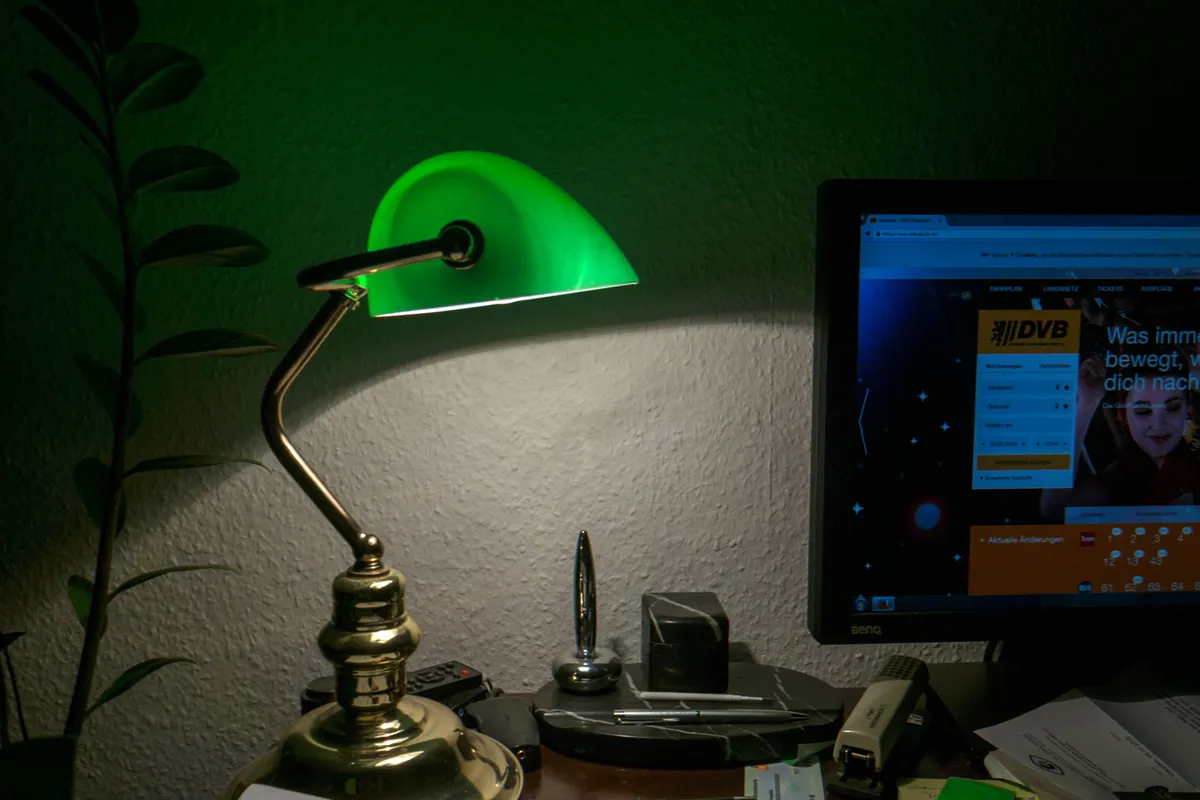
A desk lamp lights the room in every direction, including straight into the screen, where its reflection washes out the display. A monitor light bar throws its light down onto the desk in an asymmetric pattern that keeps light off the screen itself.
The short answer
Change the light, not the screen. Mount the BenQ ScreenBar Pro on the monitor and let its asymmetric throw light the desk while the display stays free of reflections. Multiple independent reviews confirm no screen glare at full brightness, and comfort is the whole reason to buy one. Check the stated CRI figure on the spec sheet of any bar you buy, so color rendering is a known number rather than a claim.
Why does this happen?
Glare is caused by the angle of the light first, and by its brightness second. A conventional lamp sits beside or behind the work and radiates in all directions, so some of its light strikes the screen at angles that reflect straight into the viewer's eyes. The reflected light competes with the image the screen is producing, washing out contrast on the display even in a room that feels comfortably lit. Turning the lamp down dims the desk as fast as the glare.
A monitor light bar changes the geometry instead of the brightness. Mounted at the top of the screen, it uses asymmetric optics to throw a shaped wedge of light downward onto the desk in front of the display, while the screen face itself receives almost none. The desk is lit, papers are readable, and the display keeps its contrast, because the light path and the reflection path no longer overlap. Flicker free drivers add comfort for long sessions.
The fix, in order
The steps run cheapest first. Stop at the one that solves it, and skip the rest; the product is there only for where the free steps run out.
Free step
Find the reflection before buying anything
Sit in your working position and note what the screen reflects: a lamp, a window, a bright wall. Move or switch off each source in turn and watch the reflection change. Many glare problems are one badly placed lamp, and knowing your source tells you what a light bar must fix.
Free step
Reposition the lamp and screen you already have
Move a desk lamp so it sits beside the screen rather than facing it or reflecting in it, and angle the display slightly to throw remaining reflections below eye line. This free rearrangement fully solves glare in some setups and clarifies the problem in the rest.
The product step
Mount the BenQ ScreenBar Pro on the monitor
Clip the ScreenBar Pro to the top centre of the display as directed, connect it, and set brightness and color temperature for the room. Its asymmetric optics light the desk surface while the screen stays out of the beam. Confirm the stated CRI figure on the spec sheet when comparing bars.
The product for this step
BenQ ScreenBar Pro
Habit step
Set room light to support the bar, not fight it
Keep a low level of ambient light in the room so the contrast between the lit desk and the rest of the space stays gentle, and close blinds that throw window reflections across the screen. The bar handles the desk; the room still needs managing.
The evidence, in tiers
Tier 1 · The method
The optics are the method evidence: asymmetric throw from the top of the monitor lights the working surface while excluding the screen, and the brand cites the IEEE 1789 flicker guidance for its drivers. Multiple independent reviews of the ScreenBar line confirm the geometry works as described.
Tier 2 · This product
The BenQ ScreenBar Pro is covered by multiple independent reviews confirming zero screen glare at full brightness. The precise star figure reported in roundup summaries was not confirmed for this guide, so no exact rating is printed here (November 2026).
We have not mounted a ScreenBar for this guide. The glare findings rest on the independent reviews named above and the optics described.
Tier 3 · What owners report
Owners report the change owners of desk lamps could not get: a bright desk, readable papers, and a screen that keeps its contrast in the evening. The budget alternative named in roundups, Quntis, is reported as good light for the price, beaten by the BenQ on optics and build rather than on brightness.
The alternatives, conceded where they win
| Option | What it is | The honest verdict |
|---|---|---|
| BenQ ScreenBar Pro | Monitor mounted bar with asymmetric optics | The pick: the tested glare free throw and the build quality lead the category it created. |
| Quntis light bar | Budget monitor light bar | Wins clearly on price and gives many desks a real improvement over a lamp; it loses to the BenQ on optical control and build, which show up as more spill and a less even desk light. |
| Repositioned desk lamp | Existing lamp moved out of the reflection path | Wins on costing nothing and solves the problem outright in some rooms; it loses where the desk layout gives the lamp nowhere good to stand, and it still lights a wider area less evenly than a bar. |
The honest price comparison
The honest comparison is a monitor with a premium anti glare panel, or refitting the desk and room lighting entirely, both far beyond the cost of a bar that mounts on the screen you own. Fixing the angle of the light, once, is the cheap point to intervene.
Where it falls short
What follows is drawn from the product's own review record: where buyers say it falls short after real use.
- A light bar lights the desk zone only, so owners wanting whole room light still need ambient lighting alongside it.
- It depends on monitor mounting, and very curved, very thin, or unusually bezeled displays can make fitting awkward.
- The lead bar is premium priced against budget bars that produce similar brightness, with the difference in optics and build rather than raw output.
The product, in short
BenQ ScreenBar Pro
Questions people ask next
Why does my lamp cause glare even at low brightness?
Because glare is about angles, not output. Light from the lamp reflects off the screen surface into your eyes, and even a dim lamp in the wrong place reflects visibly against a dark display. Moving the source out of the reflection path matters more than dimming it.
What does asymmetric light actually mean?
It means the bar throws light in a shaped wedge aimed at the desk in front of the screen, rather than in a round cone in every direction. The desk receives the light, the screen face receives almost none, and that separation is the whole design.
What should I check on the spec sheet besides brightness?
Look for the stated CRI figure, which describes how faithfully colors render under the light, a flicker free claim, the color temperature range, and how the bar mounts and is powered. A bar with those numbers stated plainly is easier to judge than one sold on brightness alone.
Will a light bar help with window glare too?
Only partly. The bar removes the lamp as a glare source and lights the desk well, but a bright window reflected in the screen needs blinds or a screen reposition. Treat window and lamp as separate sources, because they are separate reflections.
Independent reviews of the BenQ ScreenBar Pro (November 2026) · BenQ ScreenBar launch material and IEEE 1789 flicker guidance (November 2026)
The Fix JournalCase 03Desk & Office